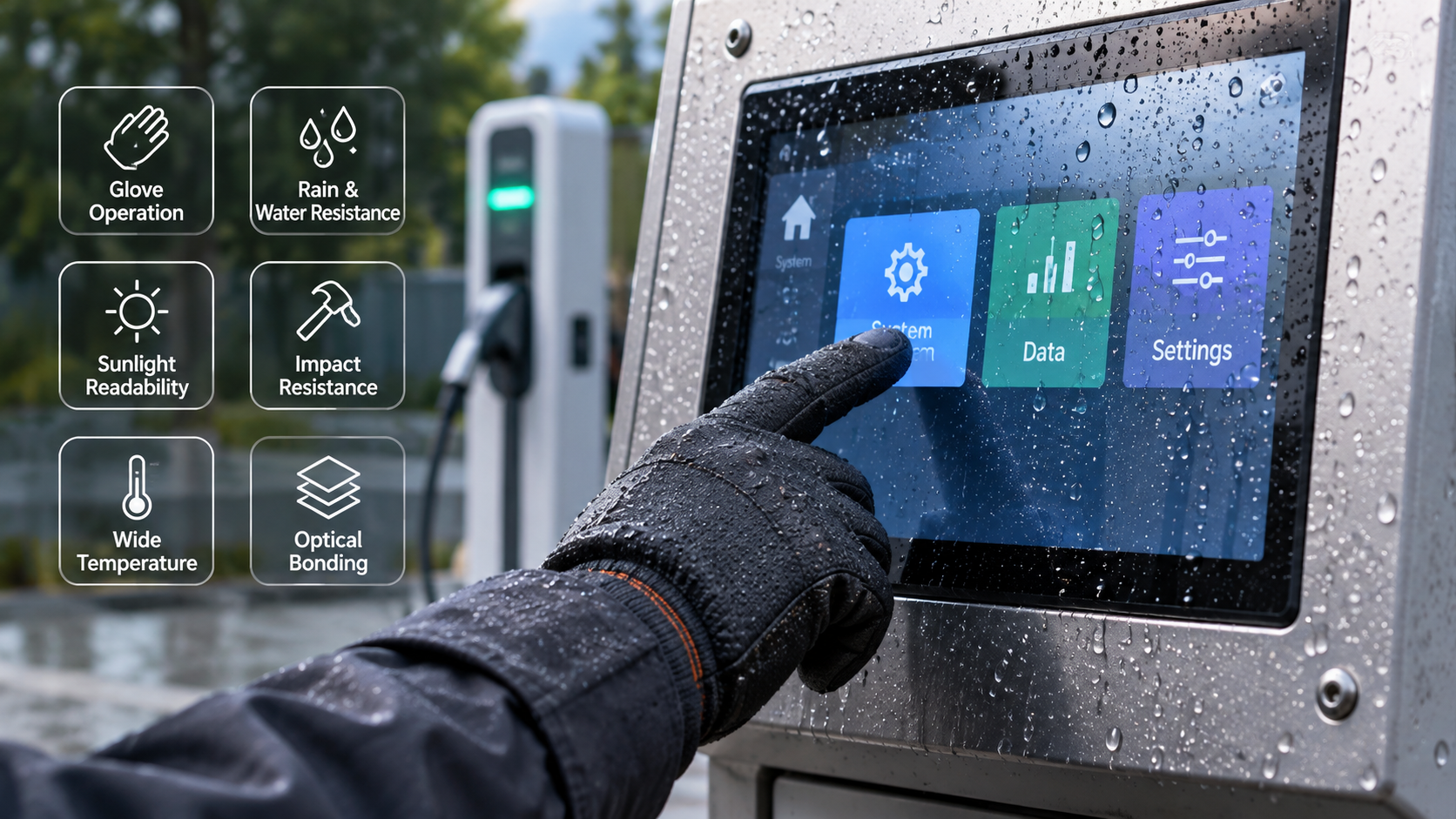
A projected capacitive (PCAP) touch screen that works perfectly indoors may struggle when installed on outdoor equipment. Thick work gloves can prevent touch detection, rainwater can trigger unwanted inputs, and reinforced cover glass can reduce touch sensitivity.
These issues are common in industrial control panels, EV charging stations, marine displays, medical equipment, and outdoor kiosks. Each application places different demands on the touch sensor and its controller.
Reliable operation depends on more than selecting a sensitive touch IC. Electrode layout, cover glass thickness, controller firmware, electrical shielding, and LCD integration all influence how the finished display responds.
At Changchun Fangguan Electronics Technology Co., Ltd., custom PCAP touch screens are developed alongside TFT LCD modules to address these challenges. Understanding how the complete display assembly behaves is the starting point for achieving stable touch performance.
How PCAP Touch Screens Detect Touch Input
Projected capacitive touch technology uses a network of transparent conductive electrodes, typically made from indium tin oxide (ITO) or metal mesh.
These electrodes create an electric field that extends beyond the sensor surface. When a finger approaches or touches the cover glass, it changes the capacitive coupling measured by the controller.
The controller processes these changes to determine touch coordinates.
Under normal conditions, the change caused by a bare finger is relatively easy to distinguish from background electrical interference. Industrial environments introduce several factors that make detection more difficult:
Thick gloves increase the distance between the finger and sensing electrodes.
Rainwater and other conductive liquids alter capacitive readings.
Reinforced cover glass reduces the strength of the detectable touch signal.
LCD backlights, power supplies, and motors introduce electrical interference.
Temperature changes can affect sensor characteristics and baseline stability.
The challenge is maintaining a useful signal-to-noise ratio (SNR) while the operating conditions change.
Increasing sensitivity may improve glove detection, but excessive sensitivity can also increase unwanted touch events. Effective tuning must balance both requirements.
PCAP Touch Screen Tuning for Thick Gloves
Glove operation is frequently required in agricultural machinery, industrial automation, refrigerated warehouses, and outdoor maintenance equipment.
Operators may wear wool, leather, rubber, or insulated protective gloves. These materials separate the finger from the sensing surface and change the capacitive coupling.
A touch panel calibrated for bare fingers may not detect an operator wearing 4 mm insulated gloves, particularly when the display also uses a thick cover lens.
Mutual Capacitance and Self-Capacitance
Industrial touch controllers may use mutual-capacitance sensing, self-capacitance sensing, or a combination of both.
Mutual capacitance measures changes in coupling between transmitting and receiving electrodes. It is widely used for accurate multi-touch input.
Self-capacitance measures changes between individual electrodes and a reference potential. Depending on the electrode structure and controller, it can provide greater sensitivity to weak touch signals.
Some controllers combine these sensing techniques to improve glove operation while retaining accurate touch positioning.
The choice depends on the touch controller, electrode geometry, cover glass, and expected operating conditions.
Adjusting Touch Controller Sensitivity
A PCAP sensor does not necessarily require new hardware when glove sensitivity is insufficient. In some cases, firmware adjustments can improve detection.
Engineers can evaluate several controller settings:
Analog front-end gain: Increasing gain helps amplify weak capacitive signals, although it may also amplify electrical noise.
Drive voltage: A compatible controller may support higher electrode excitation levels to improve the measurable signal.
Integration time: Longer sensing periods can improve signal detection, with a possible trade-off in scanning speed.
Touch thresholds: Lower detection thresholds allow smaller capacitance changes to register as touch events.
Digital filtering: Filtering helps distinguish stable touch signals from short electrical disturbances.
These adjustments must be evaluated together. A setting that works with thick gloves in a laboratory may become unstable when the equipment's power supply or LCD backlight is operating.
Reducing Electrical Noise from the LCD
The touch panel and TFT LCD occupy the same assembly, so electrical interference between them cannot be ignored.
LCD driving circuits, backlight converters, and switching power supplies can introduce noise into touch measurements.
Several measures can help:
Adjusting touch scan frequencies to avoid strong interference bands.
Improving grounding and cable routing.
Optimizing FPC layouts to reduce unwanted coupling.
Using suitable shielding structures where required.
Applying controller filtering and frequency-hopping functions.
The final firmware should be evaluated with the actual display, backlight, power supply, and enclosure rather than with the touch sensor alone.
How to Prevent False Touches from Water
Rainwater creates a different challenge from gloves.
Gloves weaken the signal from a real touch. Conductive water can produce capacitance changes that resemble touch activity.
On outdoor kiosks, marine terminals, and industrial equipment exposed to washing, water can accumulate as droplets or spread across the glass.
Dissolved salts and minerals make water conductive. When droplets or streams interact with the electrode field, the controller may register unintended touches.
This behavior is often called ghost touching.
Water-Rejection Firmware
Industrial PCAP controllers can use water-rejection algorithms to distinguish liquid interference from intentional input.
Rather than relying only on signal strength, the controller may examine:
The spatial distribution of capacitance changes.
The size and shape of detected touch regions.
Changes across neighboring electrodes.
The duration and movement of suspected touch events.
Differences between mutual-capacitance and self-capacitance readings.
Large or irregular signal regions can indicate accumulated water rather than a fingertip.
When the firmware identifies likely water interference, it can suppress affected coordinates before they reach the operating system.
The accuracy of this process depends on the sensor layout, controller capability, and water conditions.
Standing Water and Moving Rain
A stationary droplet produces a different signal pattern from water flowing across the screen.
Standing water may create a persistent offset in the sensor readings. Moving water produces changing signals that can be mistaken for gestures.
Baseline tracking helps the controller compensate for gradual environmental changes. The adjustment rate must be selected carefully because an overly aggressive baseline update may suppress legitimate touches.
For applications that require touch input during heavy rain, engineers should verify performance under both stationary and moving water.
Hydrophobic surface coatings can also help by encouraging droplets to bead and drain from the glass instead of forming continuous water films.
These coatings complement firmware tuning but do not replace it.
Water-Rejection Performance and Waterproof Protection
Water rejection and waterproofing are separate requirements.
An IP-rated enclosure protects internal electronics against specified water ingress conditions. Water-rejection firmware controls how the touch interface responds when moisture is present on the surface.
A display can have effective environmental sealing and still suffer from unwanted touch inputs during rain.
Outdoor equipment often requires both a suitable enclosure rating and touch firmware configured for wet operation.
Thick Cover Glass for Industrial and Vandal-Resistant PCAP Displays
Public-facing equipment may need protection against accidental impacts or deliberate damage.
EV charging stations, transit ticket machines, unattended kiosks, and industrial terminals often use reinforced cover glass.
The challenge is maintaining touch sensitivity through a thicker protective layer.
Cover Glass Thickness and Touch Performance
Consumer devices commonly use relatively thin cover lenses. Industrial assemblies may require thicker chemically strengthened aluminosilicate glass or thermally tempered soda-lime glass.
Cover glass thicknesses of 6 mm to 10 mm are considered in some heavy-duty PCAP applications.
As the distance between the finger and sensor electrodes increases, the capacitive signal generally becomes weaker. Glass dielectric properties, electrode geometry, and the complete sensor stack influence the actual response.
Thick-glass applications may require:
Larger or optimized electrode structures.
Touch controllers with suitable sensing sensitivity.
Adjustable excitation and signal acquisition settings.
Firmware calibrated for the selected lens thickness.
Careful control of electrical noise.
Specialized controllers may support increased drive voltages, but these settings must remain within the controller manufacturer's electrical limits.
Touch operation through 10 mm or even thicker glass is possible in certain configurations. It should not be treated as a universal capability of every PCAP controller.
Understanding IK10 Impact Protection
IK10 is an impact resistance classification defined under IEC 62262.
It corresponds to an impact energy of 20 joules, equivalent to the potential energy of a 5 kg mass falling approximately 0.4 m.
An IK10 rating applies to the evaluated enclosure or assembly, not simply to a particular glass thickness.
Glass composition, edge treatment, mounting structure, bonding materials, and enclosure rigidity all influence impact performance.
A thick cover lens alone does not guarantee IK10 compliance.
For equipment requiring this rating, the complete display assembly should undergo the relevant impact evaluation.
Why Optical Bonding Matters in Rugged Touch Displays
Optical bonding places a transparent adhesive between display layers, reducing or eliminating the air gap commonly found between the LCD and front optical assembly.
Two widely used bonding materials are:
OCA (Optically Clear Adhesive): A preformed transparent adhesive film.
OCR (Optically Clear Resin): A liquid adhesive that is cured after application.
Both can improve optical performance when properly selected and applied.
An air gap introduces additional refractive-index boundaries that reflect incoming light. In brightly lit environments, these reflections can reduce perceived display contrast.
Optical bonding reduces those internal reflections and can improve readability without relying entirely on increased backlight brightness.
It also removes the bonded cavity where internal condensation might otherwise occur.
Depending on the adhesive properties and mechanical construction, bonding can help provide more uniform physical support for the front assembly.
The effect on touch sensitivity depends on the location of the bonded layers. Bonding the LCD to the rear of an existing touch sensor does not automatically compensate for a thick cover glass above the sensor.
Air-Gap Assembly vs. Optical Bonding
For outdoor displays with thick protective glass, optical bonding is often worth considering, especially when readability and condensation resistance are important.
Its benefits should still be evaluated against assembly cost, repair requirements, and mechanical constraints.
Combining Glove Touch, Water Rejection, and Thick Cover Glass
Each requirement changes how a PCAP touch screen must be configured.
The difficulty increases when all three are required at the same time.
Glove operation benefits from high sensitivity. Water rejection requires the controller to recognize and reject signals that do not represent valid touches. Thick cover glass further reduces the available touch signal.
A controller configured only for maximum sensitivity may detect gloves successfully but also respond to rainwater or electrical noise.
The sensor and firmware must be developed around the actual operating conditions.
A successful configuration should be checked under combined conditions, not only one condition at a time.
A screen that responds correctly to gloves in dry weather may behave differently when the cover glass is wet.
Likewise, a water-rejection setting that works with bare fingers may need further adjustment for thick protective gloves.
Integrating PCAP Touch Screens with Custom TFT LCD Modules
Touch performance is strongly influenced by the surrounding display hardware.
The cover glass, PCAP sensor, optical adhesive, TFT LCD, metal frame, and controller electronics form a single assembly. Changes to one component may affect the others.
Changchun Fangguan Electronics Technology Co., Ltd. develops custom PCAP touch solutions alongside industrial TFT LCD modules.
The company's manufacturing capabilities include cover glass customization, optical bonding, display integration, and touch firmware tuning.
For demanding outdoor applications, the display assembly may incorporate high-brightness TFT panels, anti-reflective or anti-glare cover glass, and wide-temperature LCD configurations.
Mechanical requirements also matter. Sensor FPC position, mounting points, cover lens dimensions, and enclosure depth must be confirmed before production.
Custom Prototypes and Production Planning
Changchun Fangguan operates a 25,000-square-meter facility serving custom display and touch panel projects.
For suitable custom projects, the company targets prototype delivery within approximately 15 days after engineering drawings are approved. Actual lead times depend on material availability, configuration, and manufacturing requirements.
Low-volume customization below 2,000 units can be discussed for specialized industrial equipment, while large-volume programs above 50,000 units may qualify for tooling arrangements.
Factory video access can also be arranged for relevant manufacturing and inspection activities.
Early samples allow customers to evaluate glove sensitivity, wet-touch behavior, cover glass integration, and LCD interference before committing to production tooling.
What to Confirm Before Ordering a Custom PCAP Touch Screen
A reliable touch panel specification begins with the conditions in which the finished equipment will operate.
The following information helps manufacturers select suitable sensor structures, controllers, and bonding processes.
Providing these details early reduces the risk of selecting a touch controller that cannot accommodate the final cover glass or environmental requirements.
Validating Touch Performance Before Production
Touch tuning should be performed on the complete display assembly.
A sensor that performs well on an evaluation board may behave differently after it is bonded to the LCD and installed inside a grounded metal enclosure.
Useful evaluation conditions include bare-finger input, representative work gloves, wet glass, temperature extremes, and different power supply configurations.
For equipment exposed to water, the evaluation should cover both stationary droplets and flowing water.
For glove-operated equipment, the actual glove material and thickness should be used rather than relying only on a generic glove setting.
Thick cover glass configurations should also be checked for response time, coordinate accuracy, and unintended inputs near the edges.
When impact protection is required, the complete mechanical assembly must be assessed separately from touch sensitivity.
This helps ensure that improvements in one area do not create new problems elsewhere.
Frequently Asked Questions
Can a PCAP touch screen work with thick gloves and rain at the same time?
Yes, a properly configured industrial PCAP controller can support both requirements.
Glove sensitivity and water rejection must be tuned together because increasing sensitivity can make the sensor more responsive to moisture.
Performance depends on the glove material, cover glass thickness, controller capability, and water conditions.
What is the maximum cover glass thickness for a PCAP touch screen?
There is no universal maximum.
Some industrial PCAP configurations can operate through 6–10 mm cover glass, while specialized sensor and controller combinations may support 12 mm or more.
The achievable thickness depends on the electrode layout, dielectric properties, controller sensitivity, and required touch performance.
Does optical bonding improve impact resistance?
Optical bonding can improve the mechanical support of a display assembly, depending on the adhesive and structural configuration.
It does not independently guarantee IK10 compliance.
The cover glass, mounting system, and complete enclosure must be evaluated together.
Why does a touch screen register false touches when connected to an AC adapter?
Switching power supplies can introduce common-mode noise and interfere with capacitive measurements.
Grounding improvements, suitable filtering, cable routing, and touch-controller frequency adjustments can reduce these problems.
The adapter and final power supply should be included during system evaluation.
Can waterproofing eliminate ghost touches caused by rain?
Not by itself.
Waterproofing protects the internal electronics against water ingress under specified conditions. Water-rejection firmware handles unwanted touch signals caused by water on the glass.
Both are important for outdoor touch equipment.
How long does custom PCAP touch screen sampling take?
Changchun Fangguan Electronics targets approximately 15 days for suitable custom prototypes once engineering drawings are approved.
Sampling time may vary with the selected cover glass, optical bonding requirements, touch controller, and other customization details.
Building a More Reliable Industrial Touch Interface
Glove compatibility, water rejection, and thick cover glass support cannot be treated as isolated features.
They depend on the same sensing hardware and must work within the electrical and mechanical limits of the complete display.
For industrial PCAP touch screen projects, early decisions about cover glass, electrode structure, controller firmware, and LCD integration can prevent costly changes later.
Changchun Fangguan Electronics provides custom PCAP touch panels and TFT LCD assemblies for applications requiring glove operation, wet-touch performance, and reinforced front glass.
Sharing the intended operating conditions and mechanical requirements at the beginning of a project makes it easier to develop a touch interface that performs consistently in everyday use.